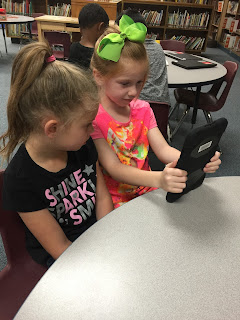
To all my Ney kids and parents, welcome back to school! I had a slow start this year. This week is actually my first full week for library. The students at Ney are coming to me regularly starting this week. I am excited that first grade through fourth will begin checking out books this week, too. Kindergarten will wait until later this fall. Please remember to email me or post on this blog if you have any questions or would like book suggestions. I look forward to visiting with you!
Thoughts From The Book Diva....
Tuesday, August 30, 2011
Thursday, July 21, 2011
Reflection Island
1. What were your favorite discoveries or excursions on this learning journey?
I would have to say that I have two favorites: Skype Island and Excursion Island. I really liked learning more about Skype so that I can start seriously considering using it in the library. I already knew a little about it, but I have not actually ever used it. This class sort of "forced me" to stop, research it, and consider how I might use it in the library.
On Excursion Island I absolutely loved that you posted the sites that are all neatly organized and list so MANY of the web 2.0 tools that we could possibly be using. Last year we learned about some of them, but I don't really remember you posting sites that links to so many and organized so that we can find what we might be interested in.
2. How has this program assisted or affected your lifelong learning goals?
As I get older I have learned that technology is growing and changing faster than we can keep up with it. If we are not in the game, learning and using it regularly we are going to be left behind. That's why I like this type of class so much. We get to do this in the summer at our own pace. We can take the time to really dig deep and learn things that help us personally as well as professionally. I especially love that I am able to show my 12 year old new and exciting things that can be done on the web. Usually it is her showing me. I even think as parents it is important for us to be informed and using all the things that our kids are using, but that is a totally different subject. I won't get on that soapbox! Ha!
3. Were there any take-a-ways or unexpected outcomes from this program that surprised you?
I have tons of take-aways! I guess I would say that I am most surprised by how many tools I can take back and share with my teachers!
4. What could we do differently to improve upon this program’s format or concept?
I really like the format! I am not sure that I would suggest changing anything. I did really like when you added the followers on your blog. I know it sounds silly, but when I see others pressing forward and moving ahead of me, it makes me get busy, too!
I really think that both years have been very organized and well put together. I also feel like this class is so much more beneficial than going and sitting in a class and focusing on one topic. We learn so much more this way. I know we are actually spending more time too, it just doesn't feel like it. I hope you are able to keep finding new things to add so that we can do this each year. I love it! Thanks for all your hard work!
I would have to say that I have two favorites: Skype Island and Excursion Island. I really liked learning more about Skype so that I can start seriously considering using it in the library. I already knew a little about it, but I have not actually ever used it. This class sort of "forced me" to stop, research it, and consider how I might use it in the library.
On Excursion Island I absolutely loved that you posted the sites that are all neatly organized and list so MANY of the web 2.0 tools that we could possibly be using. Last year we learned about some of them, but I don't really remember you posting sites that links to so many and organized so that we can find what we might be interested in.
2. How has this program assisted or affected your lifelong learning goals?
As I get older I have learned that technology is growing and changing faster than we can keep up with it. If we are not in the game, learning and using it regularly we are going to be left behind. That's why I like this type of class so much. We get to do this in the summer at our own pace. We can take the time to really dig deep and learn things that help us personally as well as professionally. I especially love that I am able to show my 12 year old new and exciting things that can be done on the web. Usually it is her showing me. I even think as parents it is important for us to be informed and using all the things that our kids are using, but that is a totally different subject. I won't get on that soapbox! Ha!
3. Were there any take-a-ways or unexpected outcomes from this program that surprised you?
I have tons of take-aways! I guess I would say that I am most surprised by how many tools I can take back and share with my teachers!
4. What could we do differently to improve upon this program’s format or concept?
I really like the format! I am not sure that I would suggest changing anything. I did really like when you added the followers on your blog. I know it sounds silly, but when I see others pressing forward and moving ahead of me, it makes me get busy, too!
I really think that both years have been very organized and well put together. I also feel like this class is so much more beneficial than going and sitting in a class and focusing on one topic. We learn so much more this way. I know we are actually spending more time too, it just doesn't feel like it. I hope you are able to keep finding new things to add so that we can do this each year. I love it! Thanks for all your hard work!
Excursion Island
First of all, let me say, Excursion Island is not for the ADD at heart! :) Oh my goodness! I spent two days playing around with these tools! I couldn't get off the computer! I finally had to MAKE myself stop to do this post. So, here we go....
For your Excursion Island post first reflect on the Horizon Report. What do you see as the most important emerging technology that will influence schools?
After skimming the report, I would say the most upcoming would be the Mobiles section. Everything we do these days is becoming interconnected. I was reading the other day about Apple's new Cloud app. It is going to intertwine the iphone, ipad, ipod, and computers. For example, when you take a picture with your iphone, it will automatically go to all your other devices and then store on itunes. It is becoming so that EVERYTHING we do is somehow connected to the internet. And since this is the case, we expect to have service WHEREVER and WHENEVER we go. Not just any service, either. We want reliable, fast service that will allow us to do whatever it is we need to get done.
Take some day trips into the Web 2.0 websites. Choose one to really explore. Why did you choose that one? What turned you off to the others? What are some of the Web 2.0 tools that you will try next year and why?
I spent the most time on Cool Tools for Schools. That site is just absolutely amazing. It is layers and layers of tools and information. I wouldn't say that the others turned me off necessarily, I just felt like this one was organzied very consisely and clearly. I could easily get around it and tell what I was looking at. I added it to my Delicious account so that I can go back when this class is over and play some more. I have a list of some of the tools I plan on sharing with the teachers on my campus. I still have not done the Wordle tool within one of my lessons, so I am planning on doing that. Some of the tools I plan on sharing are Smories, Study Jams, Createagraph, and Classtools.net.
Take a look at some of the fun tools. Play! Do you see any application for these in your classroom?
There were so many that were applicable to the classroom. I am overwhelmed by it all! I personally see applications with the createagraph tool. There were several times last year that I wanted to use a Venn diagram to compare/contrast books. I was really wanting to do that with my Starboard. I never could afford to purchase Kidspiration. WEll, now I can get it for FREE with createagraph! I played around with it and it is very easy to use!
Do you know of any other tools you can share with everyone? Put a link to the website in your post.
Here are links to the three I love the most:
http://nces.ed.gov/nceskids/createagraph/
http://classtools.net/education-games-php/venn_intro/
http://www.smories.com/
What do you think of the SlideShare tool? Would you share it with teachers and administrators?
Oh my goodness, yes! This should really open up some space on Harold. Many times that is where my teachers and adminstrators put their powerpoints so they can share with their team.
What would the applications be for your teachers?
Easier way to share, share, share!
For your Excursion Island post first reflect on the Horizon Report. What do you see as the most important emerging technology that will influence schools?
After skimming the report, I would say the most upcoming would be the Mobiles section. Everything we do these days is becoming interconnected. I was reading the other day about Apple's new Cloud app. It is going to intertwine the iphone, ipad, ipod, and computers. For example, when you take a picture with your iphone, it will automatically go to all your other devices and then store on itunes. It is becoming so that EVERYTHING we do is somehow connected to the internet. And since this is the case, we expect to have service WHEREVER and WHENEVER we go. Not just any service, either. We want reliable, fast service that will allow us to do whatever it is we need to get done.
Take some day trips into the Web 2.0 websites. Choose one to really explore. Why did you choose that one? What turned you off to the others? What are some of the Web 2.0 tools that you will try next year and why?
I spent the most time on Cool Tools for Schools. That site is just absolutely amazing. It is layers and layers of tools and information. I wouldn't say that the others turned me off necessarily, I just felt like this one was organzied very consisely and clearly. I could easily get around it and tell what I was looking at. I added it to my Delicious account so that I can go back when this class is over and play some more. I have a list of some of the tools I plan on sharing with the teachers on my campus. I still have not done the Wordle tool within one of my lessons, so I am planning on doing that. Some of the tools I plan on sharing are Smories, Study Jams, Createagraph, and Classtools.net.
Take a look at some of the fun tools. Play! Do you see any application for these in your classroom?
There were so many that were applicable to the classroom. I am overwhelmed by it all! I personally see applications with the createagraph tool. There were several times last year that I wanted to use a Venn diagram to compare/contrast books. I was really wanting to do that with my Starboard. I never could afford to purchase Kidspiration. WEll, now I can get it for FREE with createagraph! I played around with it and it is very easy to use!
Do you know of any other tools you can share with everyone? Put a link to the website in your post.
Here are links to the three I love the most:
http://nces.ed.gov/nceskids/createagraph/
http://classtools.net/education-games-php/venn_intro/
http://www.smories.com/
What do you think of the SlideShare tool? Would you share it with teachers and administrators?
Oh my goodness, yes! This should really open up some space on Harold. Many times that is where my teachers and adminstrators put their powerpoints so they can share with their team.
What would the applications be for your teachers?
Easier way to share, share, share!
Tuesday, July 19, 2011
Search Island
I was totally amazed at all of the different options for searching. I knew about some, but others were brand new. I love, love, love that there are specific search engines for multimedia, blogs, and podcasts. These sites will definitely save lots of time!
I really like the blinkx site. I found myself needing videos last year to put into presentations for teachers AND students. I would usually try YouTube, but the things you get from that site aren't always of quality.
I do not think that there are any that I would throw back. You NEVER know when you need specific things. So, I would definitely keep all of these on hand. In fact, I did add a link to this site on my delicious account so that I will always have these on hand.
I really like the blinkx site. I found myself needing videos last year to put into presentations for teachers AND students. I would usually try YouTube, but the things you get from that site aren't always of quality.
I do not think that there are any that I would throw back. You NEVER know when you need specific things. So, I would definitely keep all of these on hand. In fact, I did add a link to this site on my delicious account so that I will always have these on hand.
Skype Island
I love the idea of Skypeing with an author! I am especially interested in this since I know our budgets will be cut heavily this year. I appreciate all the lists of authors who are willing to visit with schools using Skype. I have not researched the authors in depth to decide which one I might like to use, but I plan to do that more this summer.
I have been burned before with virtual discussions. The worst time was when Scholastic offered a special virtual visit with Mrs. Frizzle. I created a login and then prepared all of our technology so that I could broadcast the virtual presentation. I thought this might be best so that we were not all trying to log in at the same time and bogging down the internet on our campus. Then at the specific time, I had all the teachers stop and tune in to our broadcast. Well, big surprise, it NEVER would work. I also never figured out why. This was very frustrating to all of us and very embarrassing for me!
For this reason I think that my first few experiences with Skype need to be in a controlled small group environment. I am just very nervous about involving a large group until I decide whether or not this will work for me. So, I think I would like to choose an author and book then host a book club to read this particular book. Once we have finished the book and discussed it among our book club, I would like to invite the author to Skype with the group about his/her book. I just think that I would be much more comfortable in this small environment.
As far as what it would take, I think I have almost all that I need. I would just need my laptop projected onto a screen, Skype loaded on the laptop, a microphone, and a webcam (which I don't have but could easily get).
If this book club session goes well I would also like to share this with our faculty. Probably the best way to share with my teachers would be to invite them to one of the sessions and/or have the kids involved talk to them about the experience.
I have been burned before with virtual discussions. The worst time was when Scholastic offered a special virtual visit with Mrs. Frizzle. I created a login and then prepared all of our technology so that I could broadcast the virtual presentation. I thought this might be best so that we were not all trying to log in at the same time and bogging down the internet on our campus. Then at the specific time, I had all the teachers stop and tune in to our broadcast. Well, big surprise, it NEVER would work. I also never figured out why. This was very frustrating to all of us and very embarrassing for me!
For this reason I think that my first few experiences with Skype need to be in a controlled small group environment. I am just very nervous about involving a large group until I decide whether or not this will work for me. So, I think I would like to choose an author and book then host a book club to read this particular book. Once we have finished the book and discussed it among our book club, I would like to invite the author to Skype with the group about his/her book. I just think that I would be much more comfortable in this small environment.
As far as what it would take, I think I have almost all that I need. I would just need my laptop projected onto a screen, Skype loaded on the laptop, a microphone, and a webcam (which I don't have but could easily get).
If this book club session goes well I would also like to share this with our faculty. Probably the best way to share with my teachers would be to invite them to one of the sessions and/or have the kids involved talk to them about the experience.
Subscribe to:
Posts (Atom)
Blog Archive
-
►
2009
(25)
-
►
July
(18)
- Thing #23- Summarizing my thoughts
- Thing #22- Ning
- Thing #21-Podcast and Videocasting
- Thing #20- You Tube and Teacher Tube
- Thing #19- Web 2.0 Awards List
- Thing # 18- Online Productivity Tools
- Thing #17- Rollyo
- Thing #16-Wikis
- Thing #15- Web 2.0 and Libraries 2.0
- Technorati claim
- Thing #14-Technorati
- Thing #13- Delicious
- Thing #12- Commenting
- Thing #11- Library Thing
- Thing #10- Image Generators
- Library Mommas
-
►
July
(18)